Anyone shopping for a proxy service quickly runs into the same choice: residential or datacenter? The price gap is large, the marketing is loud, and the difference is rarely explained in plain language. This guide sets out what residential proxies really are, how they compare with datacenter proxies, and how to decide which one fits the job you have in mind.
What a proxy server does in the first place
A proxy server sits between your device and the website you are visiting. Instead of connecting directly, your request goes to the proxy, which forwards it and passes the answer back. The website sees the proxy's IP address rather than yours.
That simple idea has many legitimate uses. Companies check how their ads and prices appear in other countries, researchers collect public data, developers test geo-targeted features, and travellers reach services that behave differently by region. The type of IP address the proxy uses is what separates the two main categories.
Datacenter proxies: fast, cheap and easy to spot
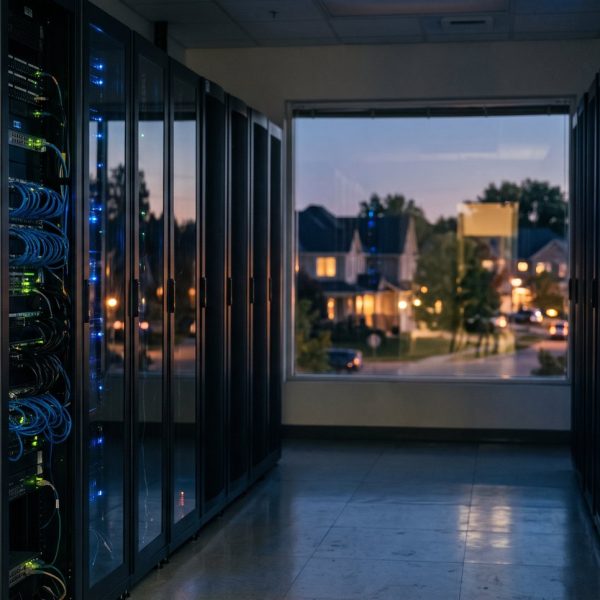
Datacenter proxies use IP addresses that belong to cloud and hosting companies. They are not tied to any home internet connection. Because providers can create them in bulk, they are inexpensive and very fast, with low latency and generous bandwidth.
The trade-off is visibility. Websites can easily tell that an address comes from a hosting range, and many services treat that traffic with suspicion. For tasks where the target does not care, such as testing your own site, monitoring uptime or downloading large public files, datacenter proxies are usually the sensible and economical choice.
Residential proxies: real household IP addresses
Residential proxies route traffic through IP addresses assigned by ordinary internet service providers to homes. To the website on the other end, the request looks like it comes from a regular person browsing from a living room in a given city.
That makes residential proxies far less likely to be blocked, and much better for checking localized content accurately. They are, however, slower and more expensive, typically billed per gigabyte rather than per IP. Quality also varies a great deal between providers, so it pays to ask how the network was built. Reputable services recruit device owners through clear opt-in agreements and pay or reward them. If a provider cannot explain where its addresses come from, walk away.
Rotating proxies and sticky sessions
Both types can be offered as rotating proxies, which assign a new IP address for every request or every few minutes. Rotation spreads traffic across many addresses and is useful for large public data projects. The opposite is a sticky session, which keeps the same IP for a set period. Sticky sessions matter whenever a site expects continuity, such as staying logged in to an account or completing a multi-step form.
When you compare plans, check the rotation options, the number of locations available, and whether you can target by country, city or mobile carrier.
How to choose between residential and datacenter proxies
A few questions make the decision much easier. Does the target website actively block hosting IPs? If yes, residential is the safer bet. Do you need accurate results for a specific city or region? Residential again. Is speed and volume more important than stealth, and is the target your own system or a tolerant public resource? Datacenter wins on cost. Is your budget tight and your bandwidth high? Datacenter proxies with careful rate limiting will usually do the job.
Many teams end up using both: datacenter proxies for bulk, low-risk tasks and a smaller pool of residential proxies for the jobs that need them. Communities such as r/webscraping are full of practical discussions about which approach works for which kind of project.
Staying on the right side of the rules
A proxy changes where your traffic appears to come from. It does not change what you are allowed to do. Respect each website's terms of service and robots.txt, avoid collecting personal data without a lawful basis, and keep request rates polite so you do not burden other people's servers. Ethical use protects you as much as it protects the sites you visit.
Proxies, VPNs and everyday privacy
For personal privacy, a proxy is often not the right tool at all. A VPN encrypts all traffic from your device, while most proxies simply forward requests for a single application. Remote workers in particular benefit from a properly configured VPN for remote work, because it protects every connection on public Wi-Fi, not just browser traffic.
And no proxy or VPN can make up for weak basics. Strong passwords, two factor authentication and careful clicking still matter most, as this guide to online security habits explains well.
The short answer
Choose datacenter proxies when you need speed, volume and low cost, and the target tolerates hosting traffic. Choose residential proxies when you need realistic, location-accurate access and a low block rate, and are willing to pay for it. Whichever you pick, buy from a provider that is transparent about its network, test with a small plan first, and use the service responsibly.