
Whether you’re browsing the internet, accessing a restricted site, or managing multiple accounts, understanding how to use a proxy server can be a game-changer. This guide will walk you through the basics of proxy servers, how they work, and how you can easily use one for various online tasks, including web scraping, market research, and content access.
What Is a Proxy Server?
A proxy server acts as an intermediary between your device and the internet. When you use a proxy, your device sends requests to the proxy server, which then forwards those requests to the intended destination. This allows you to access websites and services indirectly, with the proxy server doing the “talking” for you. By using a proxy server, you can manage multiple requests, enhance browsing speed, and even ensure that your real IP address remains hidden from the websites you visit.
Why Use a Proxy Server?
Using a proxy server offers several benefits:
- Improved Security: A proxy server can provide an additional layer of security between your device and the websites you visit.
- Access Restricted Content: Proxies allow users to access content that might be geographically restricted.
- Efficient Web Scraping: Proxies help in distributing requests across different IPs to avoid overwhelming a target server with too many requests from the same IP.
- Data Protection: Some proxy services provide encryption to protect your data from malicious actors.
Step 1: Choose the Right Proxy Server
The first step in using a proxy server is selecting the right one for your needs. There are different types of proxies, each designed for specific tasks. For example:
Residential Proxies: These are IP addresses provided by Internet Service Providers (ISPs). They are often used for tasks that require a higher level of trust and authenticity, such as scraping social media or accessing geo-restricted content.
Data Center Proxies: These proxies are not affiliated with ISPs and tend to be faster and cheaper but may be blocked more frequently by websites.
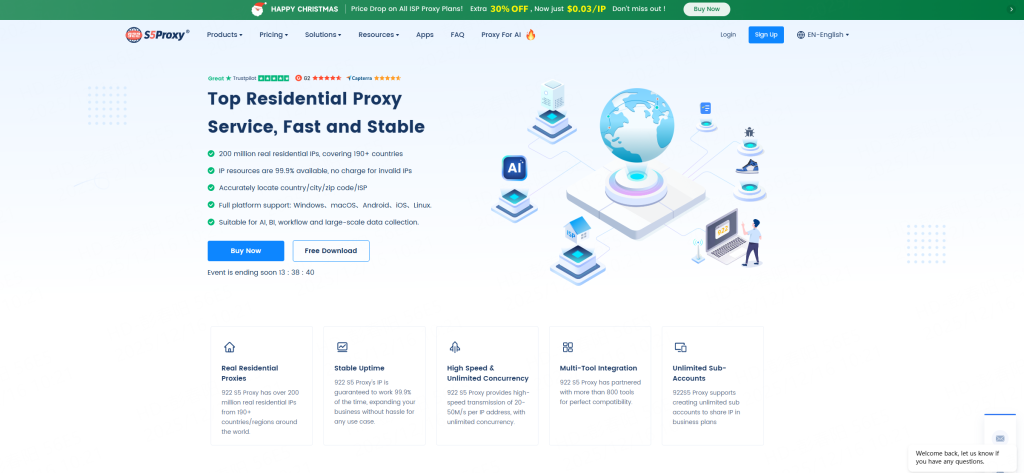
For beginners, using a reliable and user-friendly service like 922 S5 Proxy is a great choice. The 922 S5 Proxy offers a residential proxy network, ideal for tasks that require anonymity and high-level reliability.
Step 2: Set Up Your Proxy Server
Once you’ve selected a proxy service, follow these steps to set it up:
- Sign up for a Proxy Service: Register for an account with your chosen proxy provider. If you’re using 922 S5 Proxy, choose the plan that fits your needs.
- Download and Install the Proxy Configuration: Many proxy services will provide you with configuration details or a software application to install. Follow the instructions carefully.
- Configure Your Device: On your device, go to the network settings and input the proxy server’s details, including the server address and port. The exact steps will vary based on your device and operating system.
Step 3: Test Your Proxy Server
After setting up your proxy server, it’s important to test it to ensure it’s working correctly. Here’s how:
Check Your IP Address:
Use a tool like “WhatIsMyIP” to check your IP address before and after activating the proxy. You should see a different IP address, indicating that the proxy is working.
Visit Geo-Restricted Websites:
Try accessing websites that are usually unavailable in your location. A functioning proxy will allow you to bypass these restrictions.
Step 4: Maintain and Monitor Your Proxy
Once your proxy is set up and running, it’s important to monitor and maintain it for optimal performance:
Regularly Check for Updates:
Some proxies require occasional updates or changes in configuration. Keep your proxy service’s app or configuration files up to date.
Monitor Connection Speeds:
Proxies can sometimes slow down your connection speed, depending on the server and location. If you experience lag, switch to a faster proxy server or adjust the settings.
Manage Your Proxy Requests:
For tasks like web scraping or market research, managing the frequency and volume of requests is crucial to avoid being blocked or throttled.
Step 5: Use Proxies for Specific Tasks
Here are some common use cases for proxy servers:
Web Scraping:
Proxies are invaluable when scraping websites for data. They help distribute the requests, so the target site doesn’t block your IP for too many requests in a short time.
Market Research:
By using proxies, you can access competitor websites, gather market data, and monitor pricing strategies without the risk of your IP being flagged.
Accessing Localized Content:
Sometimes, certain websites and services are only accessible from specific geographic regions. Proxies allow you to bypass these restrictions by masking your real IP with an IP from a different region.
Step 6: Troubleshooting Common Proxy Issues
If you encounter problems with your proxy, here are a few troubleshooting tips:
Connection Issues:
Ensure that the proxy server is up and running. You can check your connection settings or contact the provider for assistance.
Proxy Blocking:
Some websites may block proxies. If this happens, try switching to a different proxy IP or use a rotating proxy service like 922 S5 Proxy, which offers multiple IP addresses to rotate between.
Slow Connection Speeds:
If your connection is slow, consider upgrading your proxy plan or switching to a faster server location.
Conclusion
Using a proxy server is a powerful tool to enhance your online security, speed up web scraping, and access content from around the world. Whether you’re browsing the web, researching a market, or scraping data, understanding how to use a proxy server will empower you to get the most out of the internet. The 922 S5 Proxy offers 200M+ residential IPs that guarantee reliability and performance, making it the perfect choice for beginners.
By following this step-by-step guide, you’ll be well on your way to using a proxy server like a pro in no time.